
Photo Retouching
The Detail Work Behind the Final Image
Post production is where the technical and the artistic meet. It is rarely glamorous work. It is precise, patient, and often invisible when done right. The five examples collected here represent different aspects of retouching and image correction: composite construction and background refinement, controlled color grading and lighting enhancement, natural skin retouching with texture preservation, targeted detail correction for visual clarity, and the particular discipline of retouching mature skin with sensitivity and skill. Tools used across this work include Adobe Photoshop, Photoshop Generative AI, Remini AI, and PortraitPro. This is practical, applied work. It lives in the space between what the camera captured and what the final image needs to communicate.
My Role: Across this collection, I worked as Art Director and Photo Retouching Specialist, and for four of the five examples shown here, I was also the Photographer, capturing the original images before bringing them through post production. The exception is the Composite Creation & Background Refinement piece, a family portrait in which I appear, where the photography was handled by someone else. My role on that project was art direction, composite development, and photo retouching: determining how the two source images would come together, then building the final composition myself. In every example shown here, the retouching, color grading, detail correction, skin work, and final image refinement are mine.
Composite Creation & Background Refinement
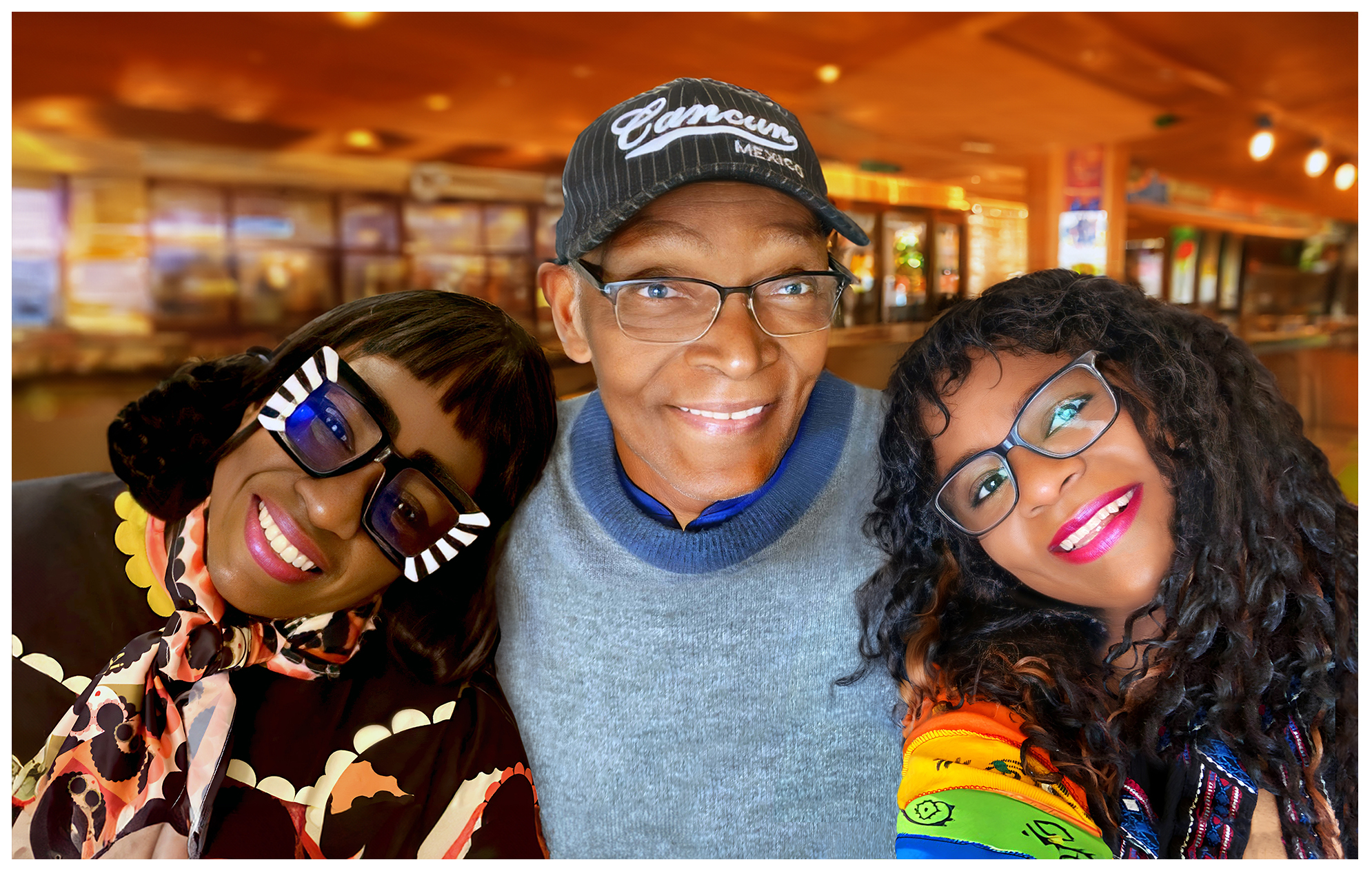
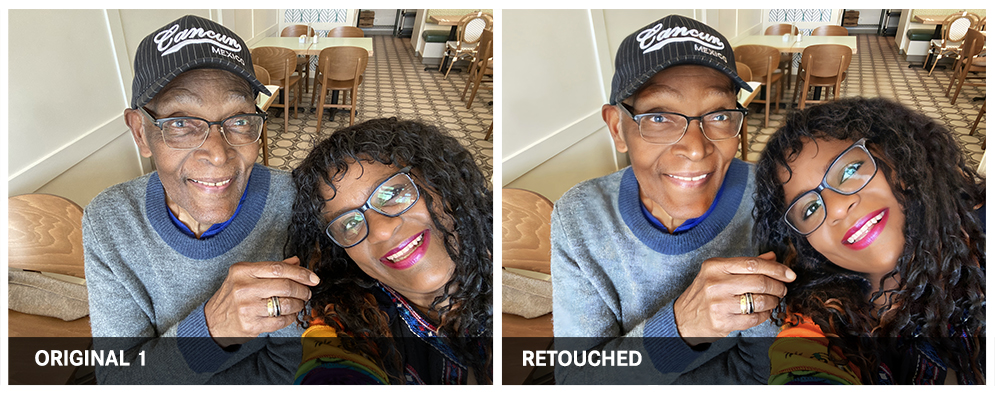
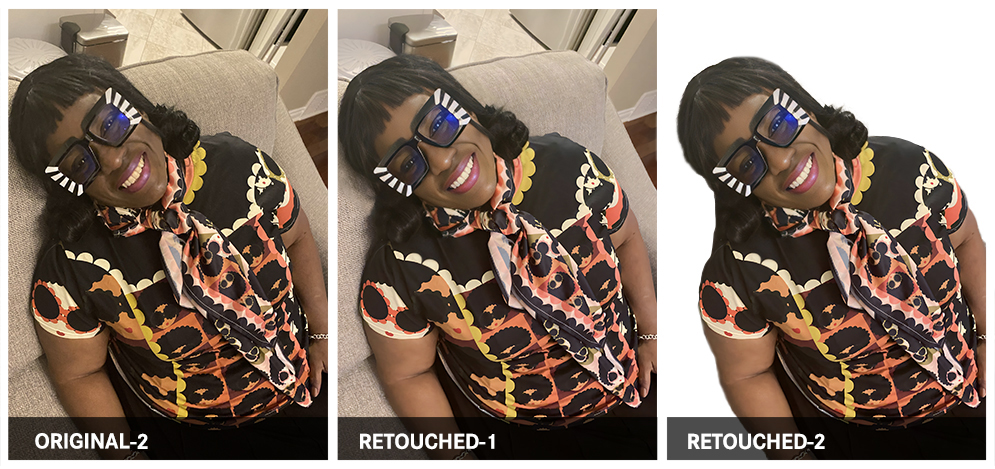
Composite work requires more than technical precision. It requires an eye for light, shadow, edge quality, and the subtle cues that tell a viewer whether an image holds together or not. This piece brought together two separate photographs taken during a family visit to create one seamless composition, commissioned as a Christmas gift: a large 24" x 18" canvas print for an 89-year-old father from his daughters. Both source photos were first enhanced through Remini AI to improve image clarity, then retouched in Photoshop. Subjects were extracted, backgrounds rebuilt, and Photoshop's Generative AI was used to construct a cohesive new background environment. Highlights, shadows, and light direction were carefully reconciled so that the final image reads as a single, unified photograph. The standard for this kind of work is simple: the composite should be invisible. A viewer should never be looking at the seams.
Originally created as a deeply personal gift, this work demonstrates a technique with wide everyday relevance: combining group photos when getting everyone in the same frame at the same time is not possible, updating family portraits when circumstances have changed, and preserving memories of time spent with loved ones in a format worthy of being displayed. The same composite and background refinement skills translate directly to professional headshots, real estate photography, product imagery, and any situation where the environment needs to serve the subject rather than compete with it.
Controlled Color Grading & Lighting Enhancement

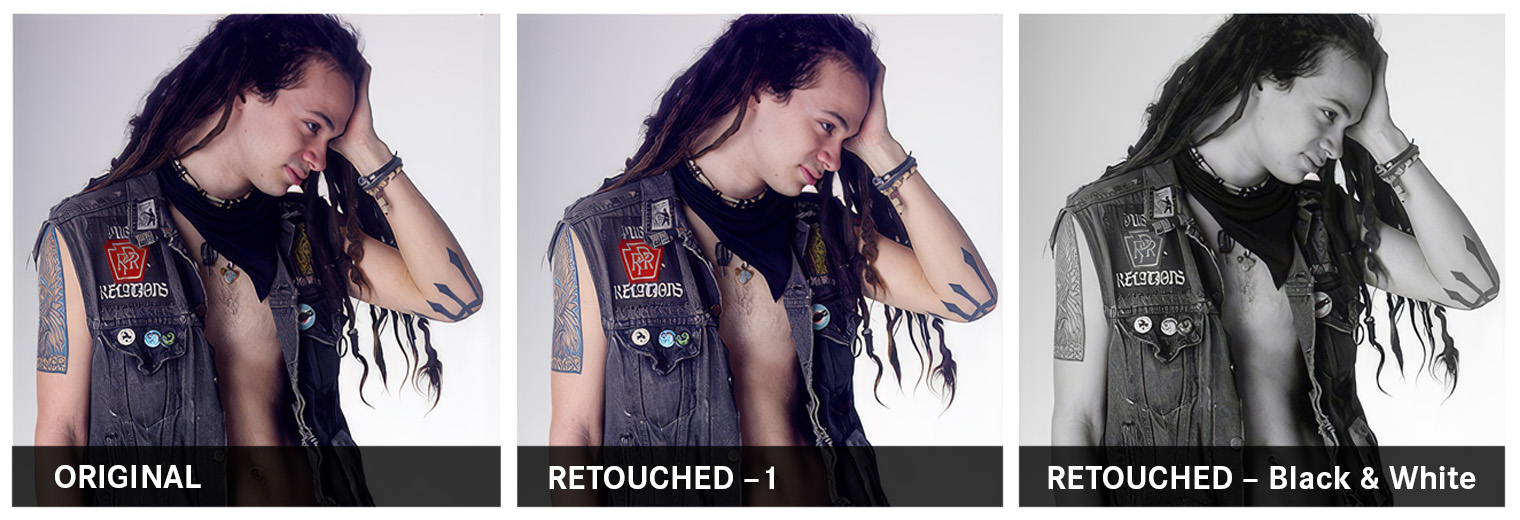
Color grading shapes mood, directs attention, and gives an image its emotional register. Josh Schaffer is the kind of subject who brings his own energy into the frame: a hiking, adventure-seeking, wild grunge musician with sharp features and a natural expressiveness that the retouching needed to honor rather than smooth away. The goal here was not conventional polish. It was to build a visual persona. PortraitPro was used to soften shadows while maintaining a hard, rugged exterior, and a 50% opaque airbrushed skin tone layer in Photoshop preserved the natural texture and imperfections that add character to his look. The image was then taken through a series of styled treatments, converting to black and white and then colorizing with a gradient overlay to create a set of poster-ready versions with distinct visual identities. The best grades are felt before they are noticed.
Shot to create a poster and branded look for an aspiring eclectic musician, this work shows how photography, retouching, and design converge to build a visual identity from a single session. The same approach applies across the music and entertainment industry, to personal branding for creatives and entrepreneurs, and to any situation where an image needs to project a distinct persona rather than simply document a person. The color grading and poster techniques demonstrated here translate directly to album art, promotional materials, event flyers, and social media brand assets.
Skin Retouching & Natural Texture Preservation
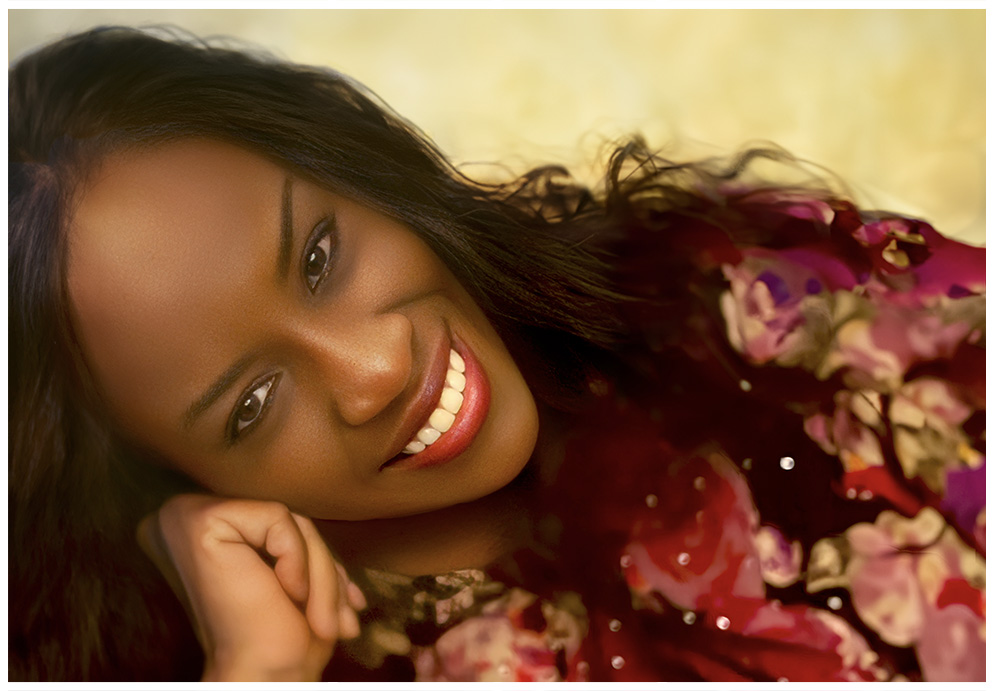
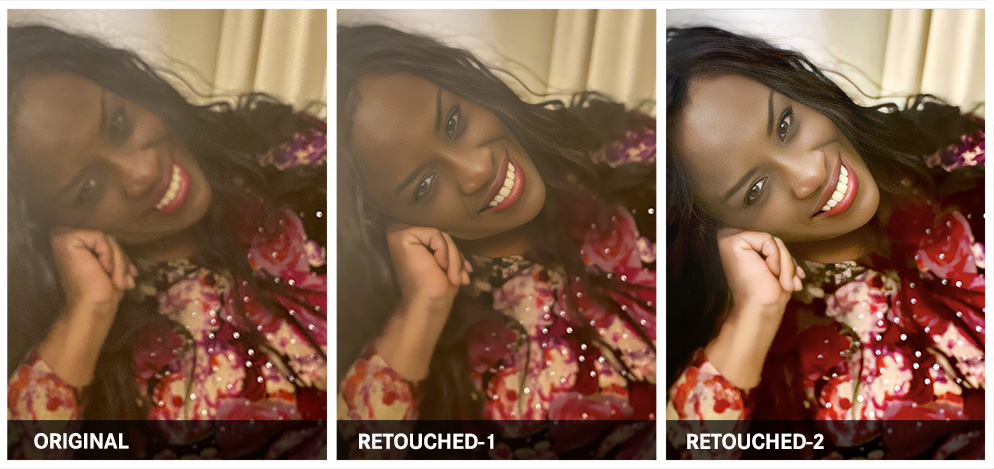
Skin retouching done well is nearly impossible to detect. The original photograph of Renee, a textile and fashion designer, came in blurred, washed out, and lacking the contrast and presence her professional image required. Remini AI was used first to unblur and sharpen the image, recovering detail that would otherwise have been lost. In Photoshop, the image was rebuilt through careful layering: duplicating and multiplying to deepen the blacks, applying a 50% contrast overlay to reveal hidden detail, then airbrush work to even skin tone and healing brush to remove blemishes. Brightness, contrast, and exposure were dialed in to bring vibrance and the natural quality of light back to the skin, and a clean background was generated via Photoshop's Generative AI to complete the portrait. The true measure of this work is simple: the subject should look at the finished image and see themselves, only better.
How many times does a potentially great shot have to be discarded because someone moved, the lighting did not cooperate, or the image came out blurred and flat? This work shows what is possible when a technically compromised photo is treated with the right combination of AI-assisted restoration and skilled manual retouching. The application is universal: portrait photography, professional headshots, fashion and editorial work, and personal photos that deserve to be kept rather than deleted. For Renee, the retouched image became the professional portrait her brand as a fashion designer required, and the bold, confident look she was after.
Detail Correction & Visual Clarity Enhancement
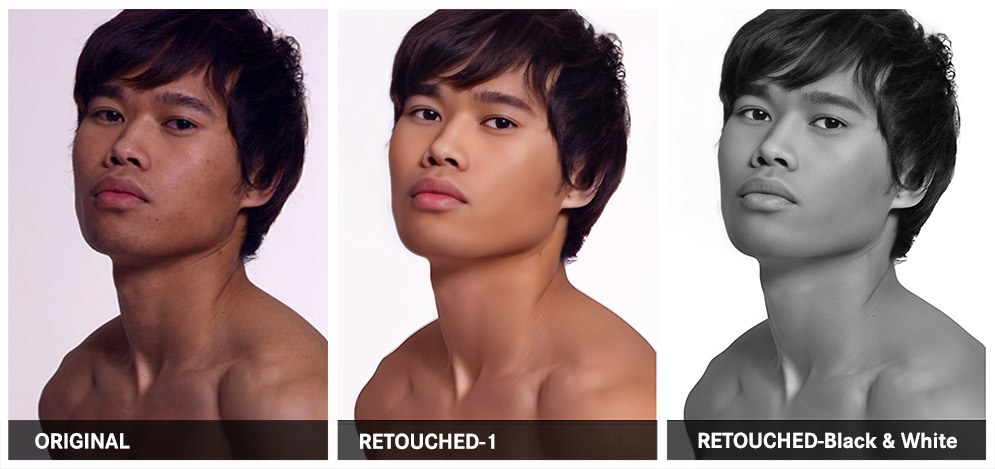
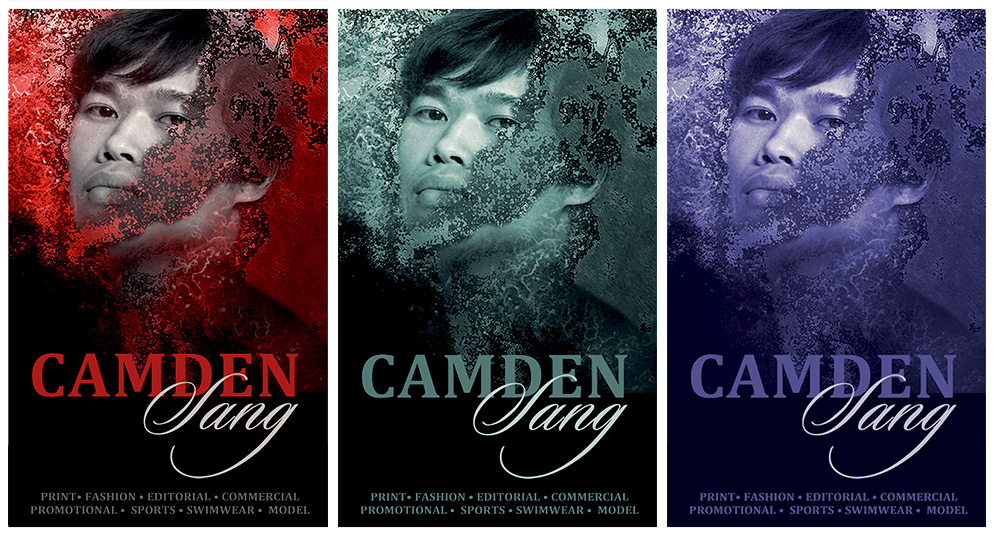
Some retouching work is not about transformation. It is about revealing what was already there. Camden Sang is a professional Cambodian model with sharp features, strong bone structure, and the kind of natural presence that needed very little intervention. The work here was precise and restrained: skin tone correction to create a natural, healthy look, healing brush to remove blemishes, and careful adjustment of brightness, contrast, and exposure to restore the natural fall of studio light against the skin. The retouched photo was then taken further into a series of branded poster treatments, converting to black and white and applying color filters and textured overlays to produce a suite of visually distinct, campaign-ready assets. Good detail correction is invisible. The only evidence it happened is that the image works.
Shot to create Camden's model comp card and establish his unique visual brand, this work illustrates how seamlessly a well-executed photograph and skillful retouching translate into broader brand assets. A single retouched image became the foundation for posters, flyers, and a full suite of branded materials. The lesson here is one of range and efficiency: invest in the quality of the source image and its retouching, and it multiplies across every format it touches. The same techniques apply equally to actor headshots, model portfolios, corporate talent profiles, and any personal brand that depends on strong, consistent visual impact.
Retouching Mature Skin: Timeless, Not Transformed
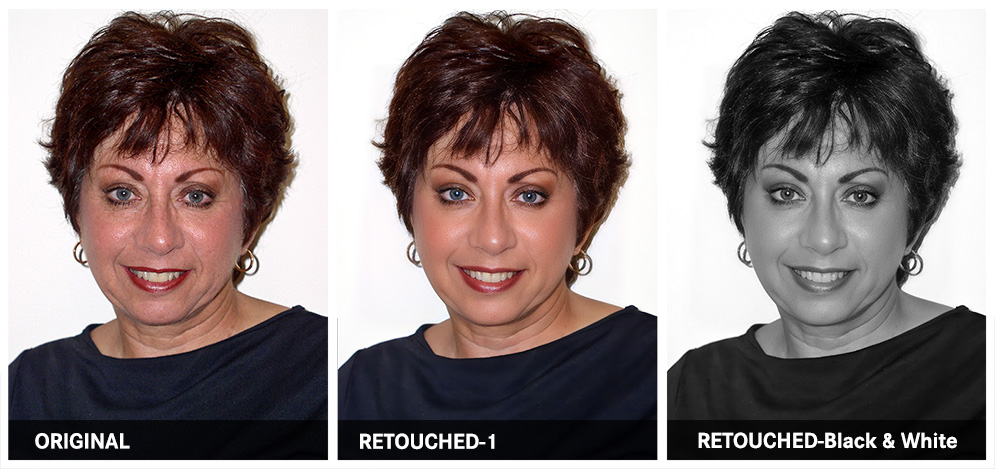
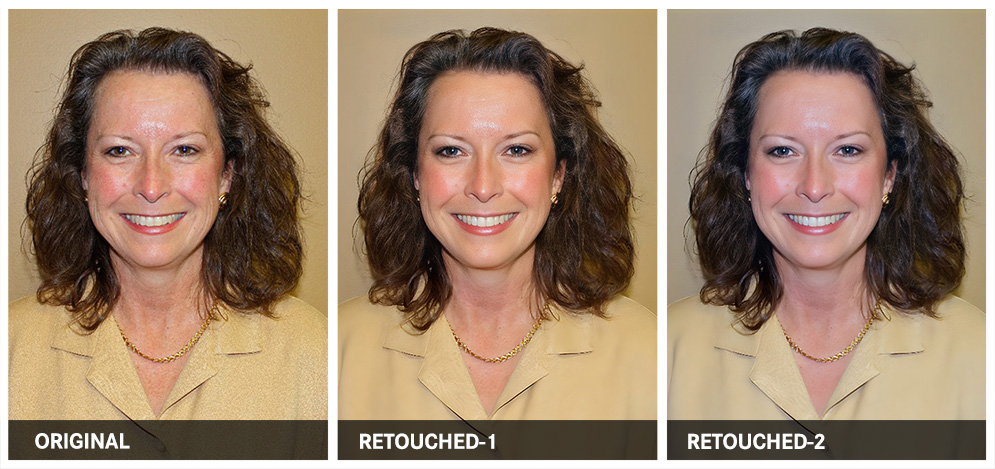
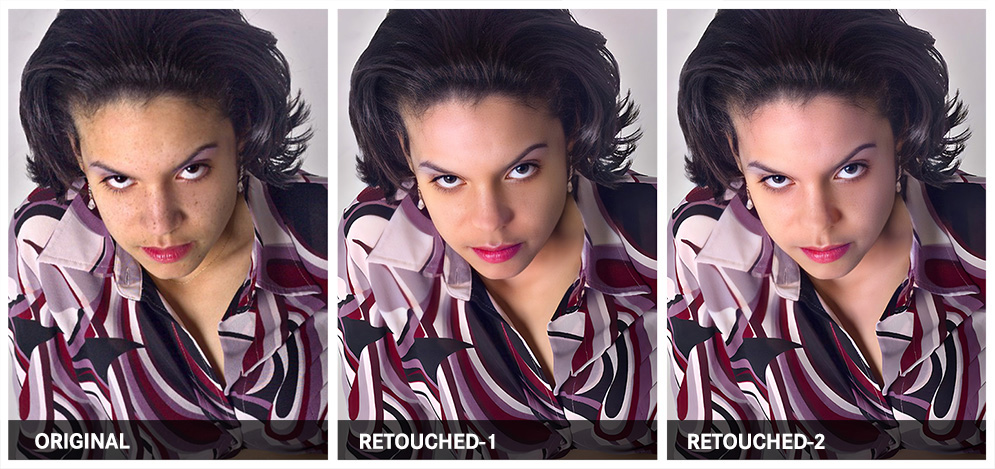
Retouching mature skin calls for a different kind of discipline. The goal is never erasure. It is refinement: softening what the camera exaggerates, restoring what unflattering light takes away, and arriving at a portrait that feels genuinely true to the subject at their best. Not a decade younger. Not someone else. Themselves, seen clearly and at their most confident.
For Eileen, a creative client, the work involved lightening shadows to recover hidden detail, sampling natural skin tones to guide careful airbrush smoothing, and using the healing brush to minimize freckles and surface blemishes. Brightness, contrast, and exposure were then adjusted to reintroduce the quality of light falling naturally against the skin. The image was finished in black and white, a choice that added a timeless quality to the portrait and further softened the overall tonal range. The result was a smooth, polished image that gave Eileen the look of someone 10 to 15 years younger, without a trace of the false, plastic finish that signals retouching gone too far.
For Karen, the challenge was a different but equally common one: a staff photo taken under harsh tungsten office lighting. That color temperature flattens and discolors skin, introducing an unwanted warmth or cast that strips the image of the healthy, natural look a professional portrait requires. Correcting it means working from accurate skin tone samples to rebuild the color balance, then addressing shadows, blemishes, and exposure to restore a sense of natural, flattering light. The finished portrait should look like the person on a good day, in good light. Nothing more, and nothing less.
These are among the most frequently requested retouching techniques and among the most commonly mishandled. They are the everyday currency of staff photography, particularly for C-suite executives, senior leadership, and high-level professionals whose headshots carry real weight in how they are perceived by clients, partners, and peers. A retouched portrait that looks natural and polished reflects well on the individual and the organization. One that looks overdone does the opposite. The same skills serve personal portraits, anniversary and commemorative photography, author headshots, speaker profiles, and any image where the subject's credibility and authentic presence need to come through clearly and compellingly.